Blog

  • The Ultimate Guide to Buying a Vintage Cassette Deck on eBay in 2026

    The Ultimate Guide to Buying a Vintage Cassette Deck on eBay in 2026

    We may earn a commission from purchases made through links on this page.
    Buying vintage audio gear online is a minefield. You are dealing with 40-year-old mechanical devices filled with rubber belts that degrade into black goo and capacitors that dry out. If you buy the first shiny silver faceplate you see on eBay, you will likely end up with an expensive doorstop.

    To avoid getting burned, you need to understand the specific terminology sellers use and the mechanical features that actually matter for playback quality. Here is your blueprint for securing a reliable, high-fidelity cassette deck.

    Decoding the Listing Jargon

    Sellers use specific keywords to describe the condition of their decks. Misunderstanding these will cost you money.

    • “For Parts or Not Working”: Exactly what it sounds like. Unless you are handy with a soldering iron and an oscilloscope, skip these entirely.
    • “Tested and Working”: Be highly skeptical of this phrase. Often, this just means the seller plugged it into a wall, saw the lights turn on, and heard the motor spin. It does not mean the deck actually plays audio at the correct speed or that the heads are properly aligned.
    • “Serviced” or “Restored”: This is the holy grail. Look for listings where the seller explicitly states they have replaced the belts, cleaned the potentiometers (volume knobs), and calibrated the tape speed. Expect to pay a premium for these, but it is entirely worth the investment.

    2-Head vs. 3-Head Decks

    If you are strictly buying a deck to play your old mixtapes or pre-recorded albums, a standard 2-head deck is perfectly fine and highly affordable. One head erases, and the other handles both recording and playback.

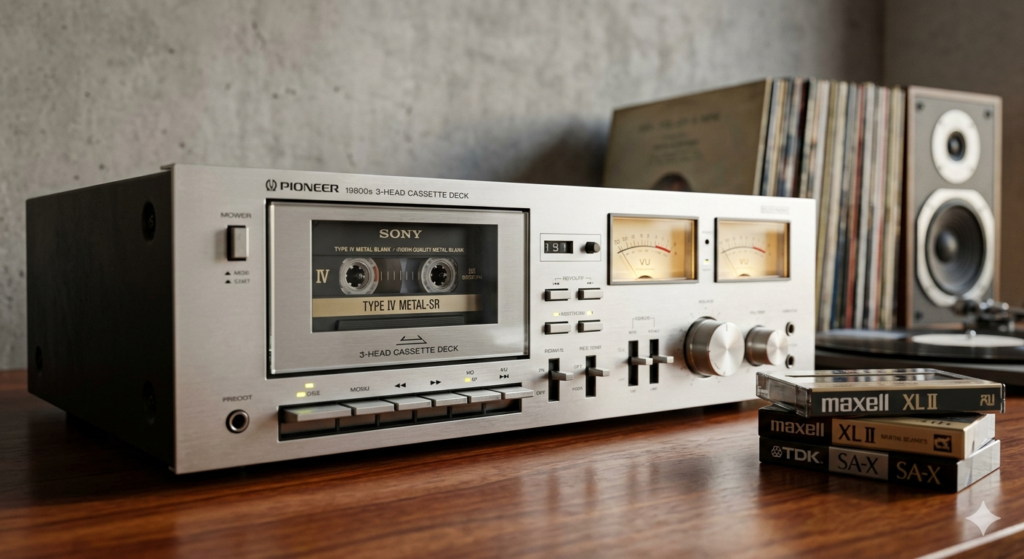
    If you plan on recording your own high-fidelity mixtapes from vinyl or digital sources, you must target a 3-head deck. These have dedicated heads for erasing, recording, and playback. This allows you to monitor the audio straight from the tape a fraction of a second after it is recorded, ensuring your levels are perfect without having to rewind and check.

    Features to Prioritize

    Beyond the heads, look for these specific features in the listing photos or description:

    • Dual Capstan: Instead of one rubber pinch roller pulling the tape, a dual capstan system uses two. This keeps the tape perfectly taut across the heads, drastically reducing pitch wobble (wow and flutter).
    • Dolby C or S Noise Reduction: Tape hiss is inevitable, but Dolby C and S circuitry do an incredible job of eliminating it without killing the high frequencies. Dolby B is standard, but C and S are marks of a higher-end deck.
    • Manual Bias Adjustment: Different brands of blank cassettes require slightly different magnetic charges (bias) to sound their best. A manual bias knob lets you tune the deck perfectly to the specific tape you are using.

    [PLACEHOLDER: LIVE EBAY LISTINGS FOR SERVICED 3-HEAD CASSETTE DECKS COMING SOON]

    [PLACEHOLDER: LIVE EBAY LISTINGS FOR VINTAGE PIONEER AND NAKAMICHI DECKS COMING SOON]

  • How to Clean and Maintain a Vintage Cassette Deck (A Step-by-Step Guide)

    How to Clean and Maintain a Vintage Cassette Deck (A Step-by-Step Guide)

    How to Clean and Maintain a Vintage Cassette Deck (A Step-by-Step Guide)

    We may earn a commission from purchases made through links on this page.

    Finding a vintage Nakamichi, Pioneer, or Akai cassette deck on the second-hand market is incredibly exciting. But plugging it in and immediately playing a rare, expensive cassette without doing basic maintenance is a massive risk. Decades of built-up oxide shedding, dust, and magnetized components will completely ruin your playback quality—or worse, result in the deck “eating” your tape.

    Routine maintenance on a cassette deck is not optional; it is mandatory. Thankfully, it requires zero technical engineering skills. Here is the exact process to clean and demagnetize your tape heads to ensure your deck sounds exactly as it did when it left the factory.

    The Tools You Need

    Do not use standard household cleaners. You need a few specific items to safely handle delicate audio components:

    • 99% Isopropyl Alcohol: Do not use standard rubbing alcohol from the pharmacy (which is often 70% alcohol and 30% water). You need 99% purity so it evaporates instantly without leaving a residue or promoting rust.
    • Long-Stem Cotton Swabs: Standard Q-tips can shed cotton fibers into your deck’s mechanism. Look for tightly wound, wooden-handled cleaning swabs.
    • Rubber Renewer (Optional but Recommended): For treating hardened rubber wheels.
    • A Tape Head Demagnetizer: A handheld electronic wand used to remove magnetic buildup.

    [PLACEHOLDER: LIVE EBAY LISTINGS FOR CASSETTE DECK CLEANING KITS & 99% ISOPROPYL ALCOHOL COMING SOON]

    Step 1: Cleaning the Metal Components (Heads and Capstan)

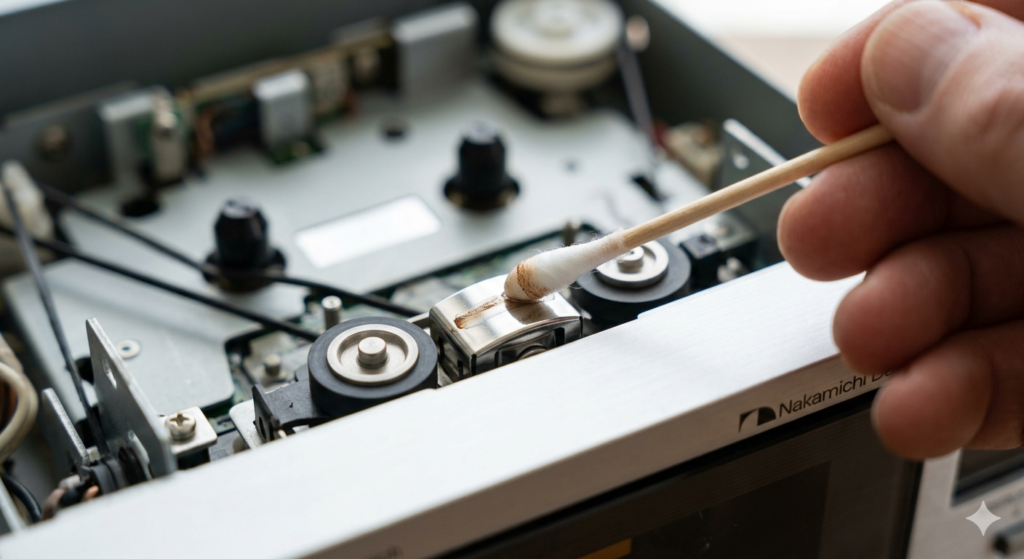
    Open the cassette door and gently remove the door cover if your deck allows it (consult your specific manual, though most simply slide upward). You will see the tape heads (the shiny metal blocks in the center) and the capstan (the thin, spinning metal pin on the right).

    Dip a tightly wound cotton swab into your 99% isopropyl alcohol. Tap off the excess; it should be damp, not dripping. Gently rub the swab across the metal tape heads. You will likely see brown or black residue come off onto the cotton. This is oxidized magnetic tape shed. Use a fresh swab and repeat the process until the cotton comes away completely clean.

    Next, hold a fresh alcohol-soaked swab against the metal capstan while pressing the “Play” button (without a tape inserted). As the capstan spins, the swab will strip away years of grime.

    Step 2: Cleaning the Rubber Pinch Roller

    Right next to the metal capstan is a small rubber wheel called the pinch roller. This wheel pulls the tape across the heads at a steady speed. If it gets dirty or hardens, you will experience “wow and flutter” (audio pitch distortion) or the tape will slip and tangle.

    Warning: Never use alcohol on the rubber pinch roller. Alcohol dries out rubber, causing it to crack over time. Instead, use a specialized rubber cleaner or a drop of mild dish soap mixed with distilled water on a swab. Press the deck into “Play” and hold the swab against the spinning rubber wheel until the black residue stops transferring to the cotton.

    Step 3: Demagnetizing the Tape Heads

    Every time a magnetic tape passes over the metal heads, a tiny residual magnetic charge is left behind. Over years of use, this built-up magnetism will actually erase the high frequencies from your cassettes as you play them, making your music sound muddy and muffled.

    You need to use a handheld demagnetizer wand. Here is the strict protocol:

    1. Turn your cassette deck completely off.
    2. Plug in your demagnetizer wand at least three feet away from the deck.
    3. Turn the wand on, slowly bring it toward the tape heads, and move it in slow, tiny circles just a millimeter away from the metal (do not actually touch the metal).
    4. Slowly pull the wand away until you are at least three feet back, then turn the wand off.

    Moving too fast or turning the wand off while it is near the deck will actually severely magnetize the heads, doing the exact opposite of what you want.

    Perform this simple cleaning and demagnetizing routine every 30 to 40 hours of playback, and your vintage deck will easily outlast your tape collection.

    [PLACEHOLDER: LIVE EBAY LISTINGS FOR TAPE HEAD DEMAGNETIZERS COMING SOON]

  • Sony MiniDisc Players: NetMD vs. Standard – Which Should You Buy?

    Sony MiniDisc Players: NetMD vs. Standard – Which Should You Buy?

    Sony MiniDisc Players: NetMD vs. Standard – Which Should You Buy?

    We may earn a commission from purchases made through links on this page.
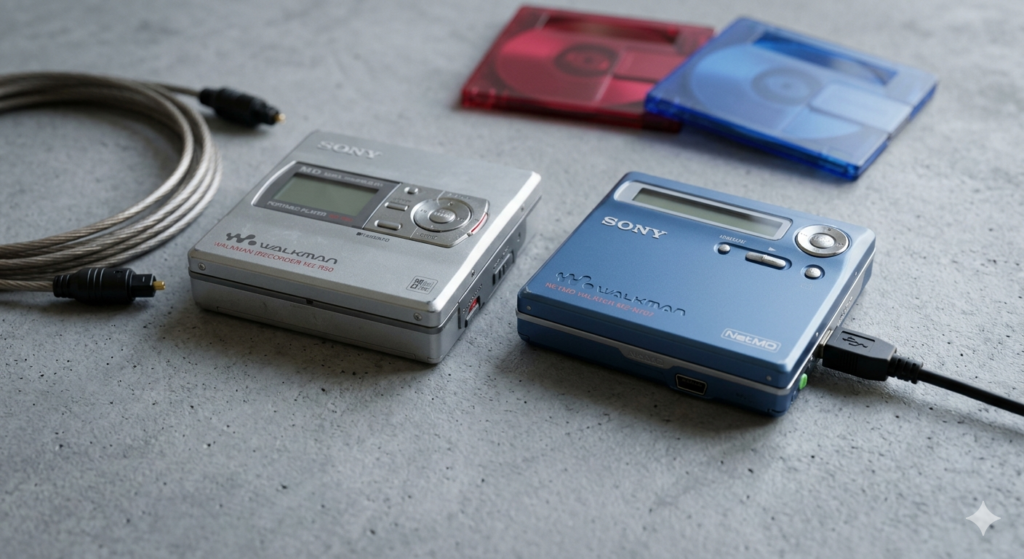
    If you are diving back into the world of physical media, the MiniDisc offers a perfect blend of retro tactile satisfaction and digital reliability. But if you spend more than five minutes browsing second-hand listings on eBay, you will immediately run into a major fork in the road: should you buy a standard MiniDisc player, or do you need a “NetMD” model?

    Sony introduced the NetMD format in 2001, and it fundamentally changed how users interacted with the discs. Today, the choice between the two formats dictates your entire workflow. Here is exactly what you need to know before bidding on your first portable player or home deck.

    The Traditional MiniDisc Experience (Standard/SP)

    Before 2001, recording a MiniDisc was a labor of love. Standard players (often referred to simply as SP models) require you to record audio in real-time.

    If you want to record a 45-minute album from your CD player or computer to a standard MiniDisc, it takes exactly 45 minutes. You connect an optical or analog cable from your source device into the line-in port of the MiniDisc recorder, hit play on the source, and hit record on the MD unit.

    The Pros of Standard Players:

    • The Ritual: For many vintage audio enthusiasts, the real-time recording process is the entire point. It forces you to actually listen to the music you are curating.
    • Audio Quality: Standard SP mode uses Sony’s original ATRAC compression. To many audiophiles, a pure optical line-in recording in SP mode sounds warmer and superior to later compressed formats.
    • Price and Availability: Because they are older and lack USB functionality, excellent standard recorders (like the heavy-duty Sony MZ-R50) are often cheaper on the second-hand market than their NetMD counterparts.

    The Cons:

    • Titling tracks using the tiny buttons on the unit is incredibly tedious.

    The NetMD Revolution

    NetMD players added a mini-USB port to the hardware. Instead of recording in real-time through an audio cable, NetMD allows you to transfer music files directly from a computer to the MiniDisc at high speeds (up to 32x normal playback speed).

    Back in the early 2000s, this required Sony’s notoriously clunky SonicStage software. Thankfully, the modern MiniDisc community has solved this. Today, you can use a free, browser-based, open-source tool called Web Minidisc Pro. You simply plug the NetMD player into your modern PC or Mac via USB, drag and drop your FLAC or MP3 files, and type out your track titles on your keyboard.

    The Pros of NetMD:

    • Speed and Convenience: You can burn a full 80-minute playlist to a disc in just a few minutes.
    • Effortless Titling: Naming your discs and tracks using a computer keyboard takes seconds.
    • LP2 and LP4 Modes: NetMD excels at putting massive amounts of music onto a single disc by using more compressed audio formats, which is great for podcasts or long road trips.

    The Cons:

    • The “Fake SP” Issue: When transferring tracks via USB using standard NetMD protocols, the audio is converted to LP2 quality and “padded” to look like an SP track. While Web Minidisc Pro has developed workarounds for this, purists still prefer standard optical recording for true SP quality.

    The Verdict: Which format is right for you?

    If you treat MiniDisc like vinyl—a dedicated, sit-down listening experience where you want the absolute highest quality and enjoy the mechanical process of recording—buy a Standard SP Recorder with an optical input. Look for early, all-metal models with strong lasers.

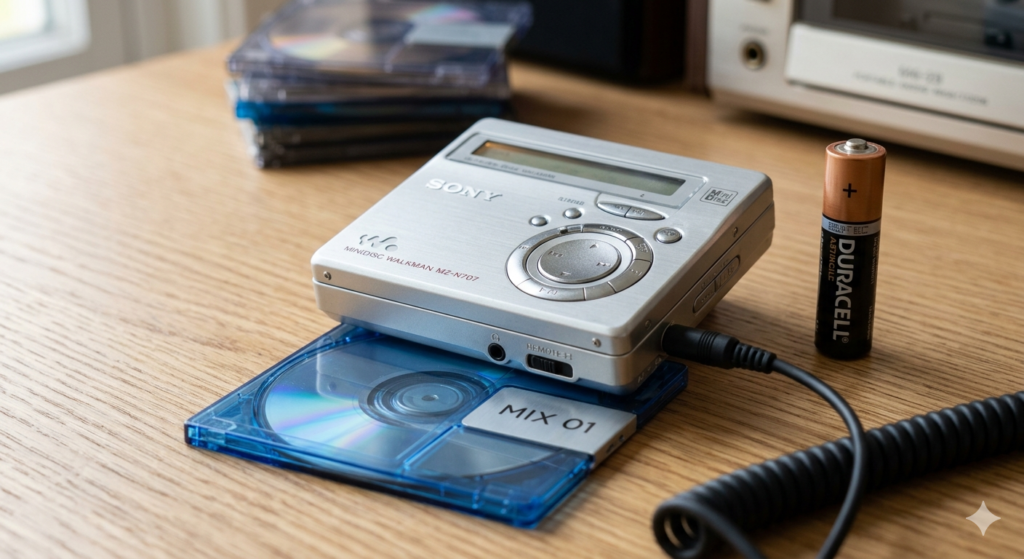
    If you want the cool aesthetic of the MiniDisc but treat it more like an iPod—meaning you want to quickly drag and drop digital playlists from your laptop before heading out the door—you absolutely need a NetMD Player. Look for late-era models like the Sony MZ-N707 or the MZ-NE410.

    [PLACEHOLDER: LIVE EBAY LISTINGS FOR SONY NETMD PLAYERS COMING SOON]

    [PLACEHOLDER: LIVE EBAY LISTINGS FOR STANDARD SONY MINIDISC RECORDERS COMING SOON]